You never have to share
Recording alone is a complete way to use the app. Sharing is entirely optional, and capturing, comparing, and backing up all work whether or not you ever post.
Chapter 4
Nothing is posted automatically. Sharing only ever happens when you choose it.
Back to the guideRecording alone is a complete way to use the app. Sharing is entirely optional, and capturing, comparing, and backing up all work whether or not you ever post.
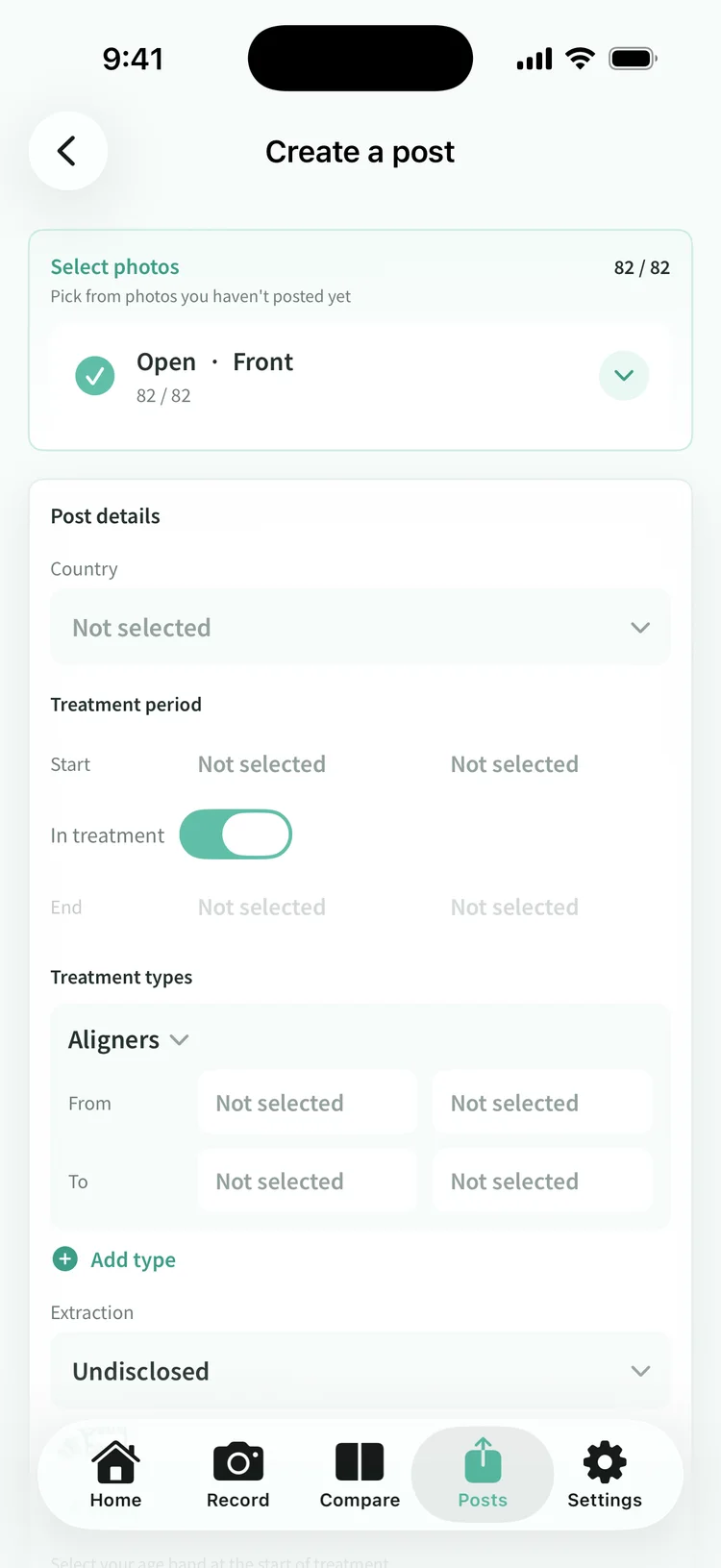
From the Share tab, pick the photos you want to publish. You can attach a country, age range, treatment period, treatment type, and whether teeth were extracted, but all of it is optional. Country appears only if you choose it. Nothing is inferred from your location.
Anonymous posts appear in the public gallery. A limited URL is visible only to people who have the link and is kept out of search engines. That option is planned for the upcoming Pro plan.
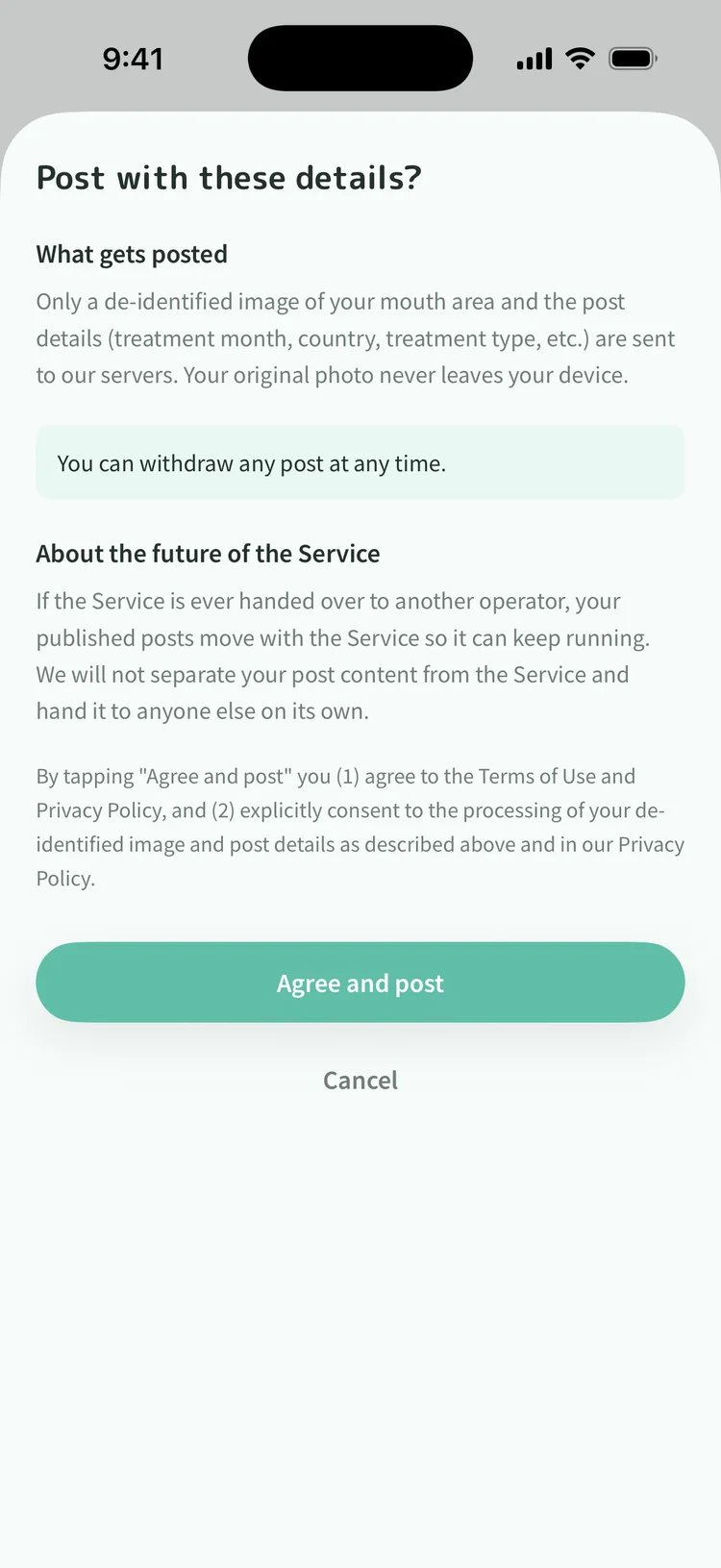
After choosing the audience you can preview the exact image that will be published. Being told it is anonymized is not something you can verify, so you get to look at it instead. A final screen lists what is sent and confirms you can take it down at any time. Nothing is uploaded until you agree there.
Delete it. There is no way to narrow the audience of a post after publishing it, because anyone who already has the URL cannot be shut out. Promising a smaller audience we cannot enforce would be worse than offering only deletion. Deleting a post leaves the photos on your iPhone untouched.
Any post can be reported from its detail screen. Once enough reports land, the post is hidden automatically and we review it. Blocking someone hides their posts from you immediately.
App Download
The app brings together photo organization, comparison and the anonymization preview in a single flow.
This site uses cookies (Google Analytics) to analyze usage. Measurement happens only if you consent. Cookie Policy